 Orionian
Pregnancy
A pregnancy app that keeps your weeks, your timers and your notes on your phone, and shows you your own numbers without judging them. No account, no ads, no internet access.
Coming to Google Play
For Android 8 and laterYour weeks, in your own numbers
Start in seconds from the first day of your last period, a due date from your care team, a conception date or an IVF transfer. Today shows how far along you are, the trimester and the days to go, with how the date was worked out right under it.
A date from your care team replaces any estimate, and every earlier date is kept. Beside your weeks, a disc lights like a waxing moon as the days pass: a sign of time, not a picture of a baby.
And a short card every week, from 4 weeks to 42: what's new with your baby, their size in your units beside a small sketch, what's common for your body and when to call your midwife or doctor, something for your partner, and one tip. A notification on the morning each week begins, which you can turn off. Written from public health sources, listed in the app.
Tuesday, November 3
25 weeks and 5 days
Second trimester
100 days to go
Estimated due date: Thursday, February 11, 2027
From your last period, May 5, and a 30-day cycle
No internet access. None.
Pregnancy was built without Android's internet permission, so Android won't let it connect, even if we wanted it to.
What you record stays on your phone. Pregnancy has no account, no ads and no analytics, and it can't send what you record anywhere. Files leave only when you save or share them.
Permissions, each with one job
- Show notifications
POST_NOTIFICATIONS - Appointment reminders and the timers' notifications. On Android 13 and later, Android asks you the first time one needs it.
- Run at startup
RECEIVE_BOOT_COMPLETED - Puts appointment reminders back after a restart. It's off until a reminder is ahead.
- Promoted notifications
POST_PROMOTED_NOTIFICATIONS - Shows the contraction timer as a live update while you time. No prompt; a switch in Settings turns it off.
- Fingerprint or face
USE_BIOMETRIC - The lock, if you turn it on: Android's own fingerprint, face or screen lock prompt. Pregnancy only learns whether it was you.
- Google Play billing
BILLING - Buys Pregnancy Pro through the Play Store app on your phone.
That's the whole list. The app's build fails if anything else ever appears in it.
Never lose a day
- Google backup, end to end encrypted with your screen lock, when backup is on in your phone's settings. From Android 9.
- Phone to phone, when you set up a new Android phone. From Android 9.
- A backup file sealed with a passphrase, to keep anywhere, on any Android version. Without the passphrase no one can open it, Orionian included.
- Bump photos move phone to phone and in the backup file.
Discreet by default
- Out of screenshots, screen sharing and recent apps unless you allow them.
- Notifications in neutral words, hidden on the lock screen.
- Lock Pregnancy with your fingerprint, face or screen lock.
- A home screen widget with your weeks, which after an ending shows nothing about a pregnancy.
The privacy policy says all of this in full.
What you get
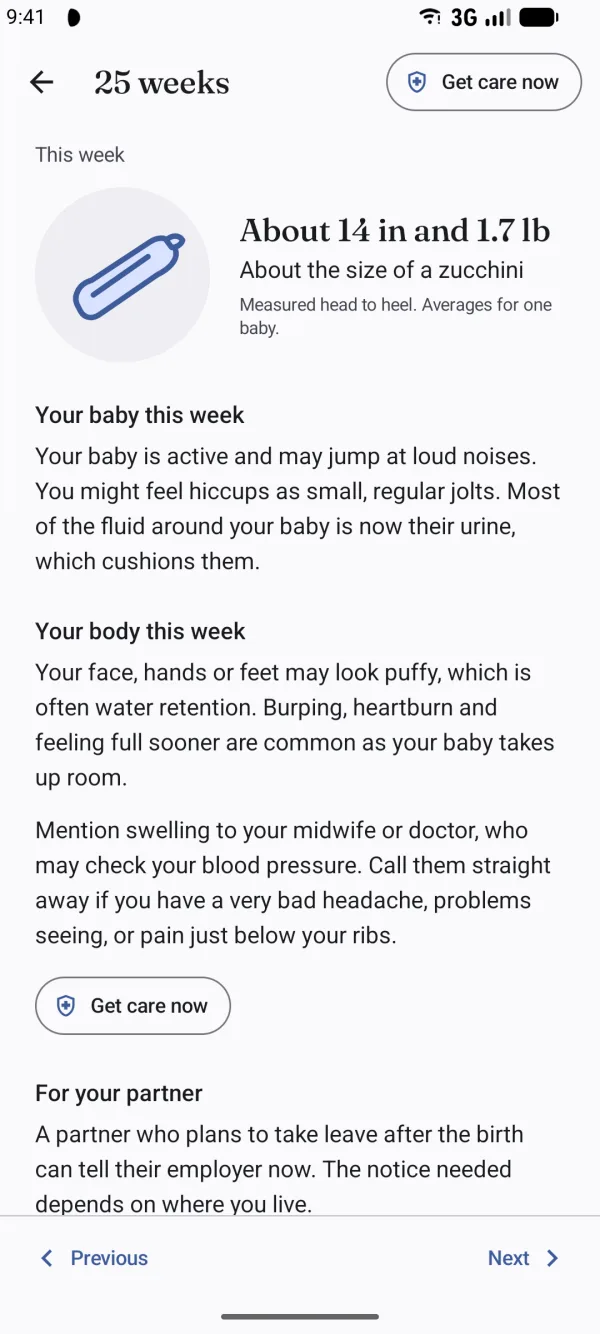
A short card for every week 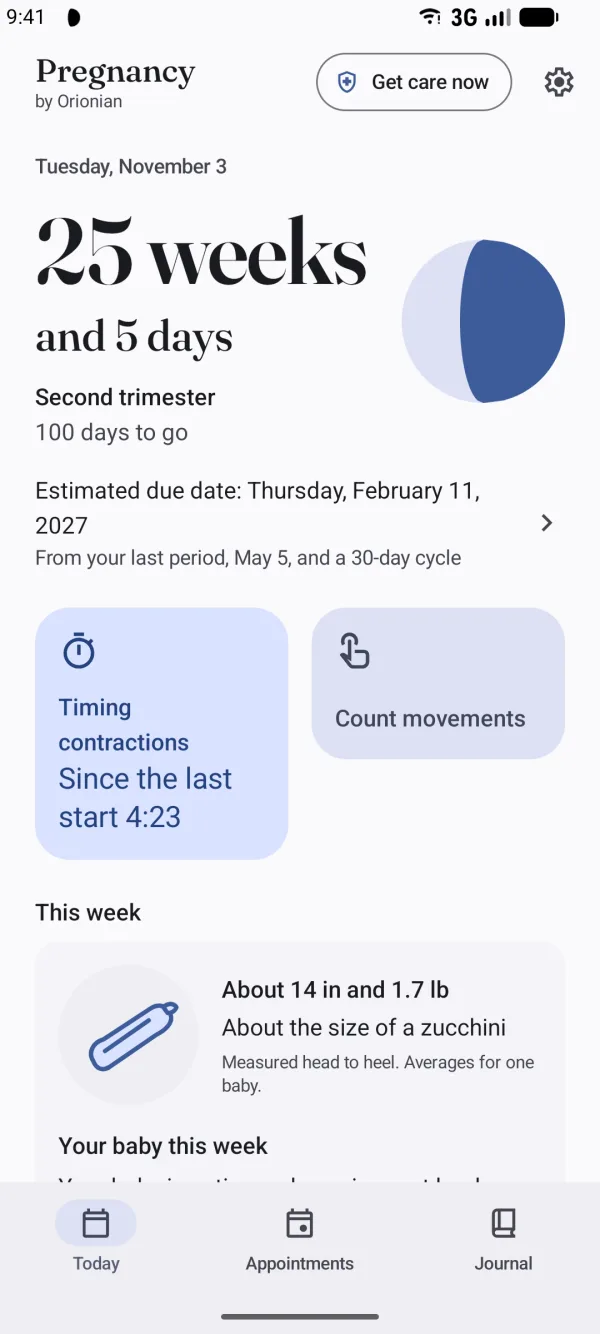
Your weeks, in your own numbers 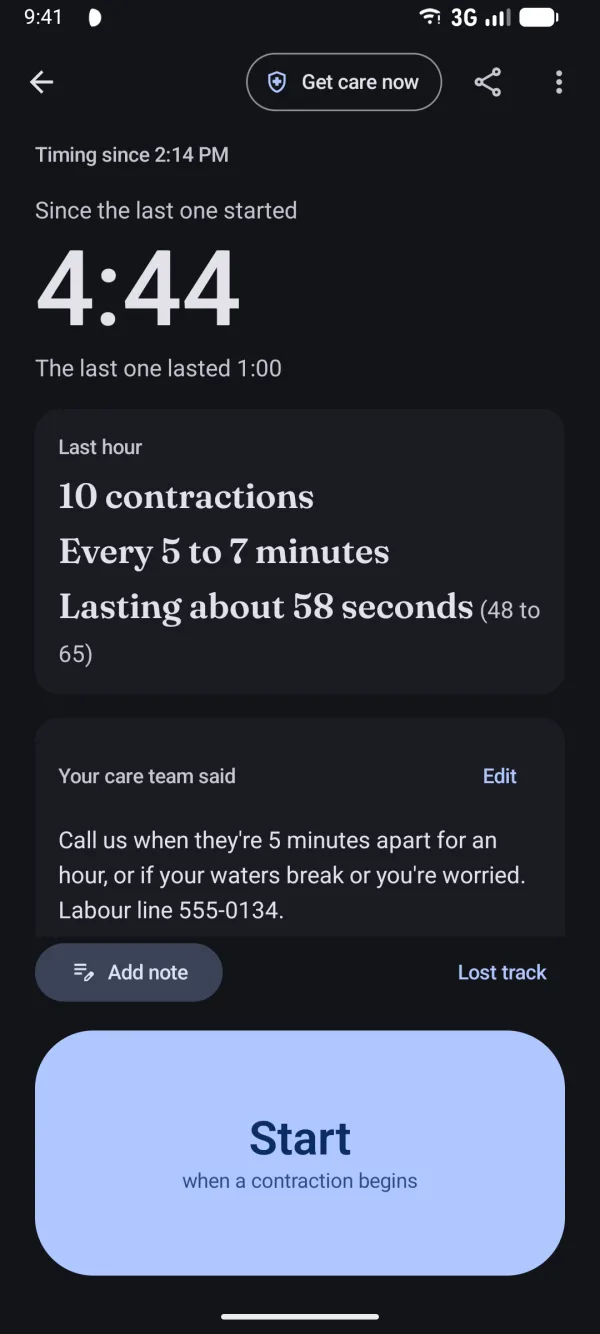
A contraction timer for one hand 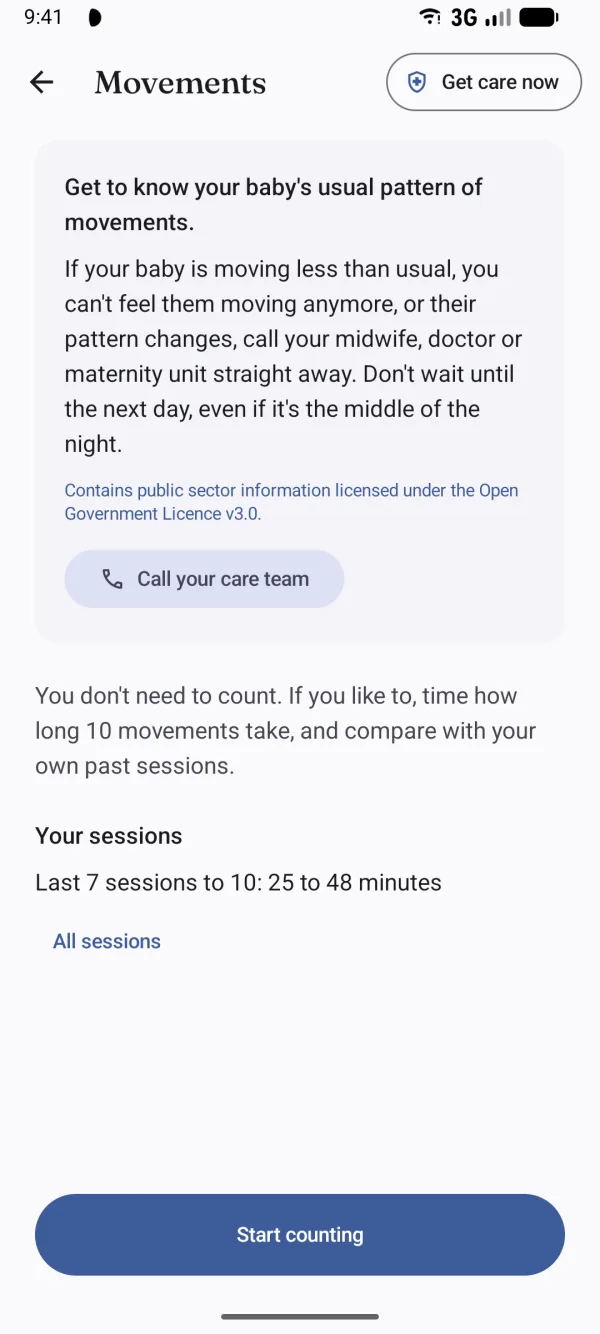
Know your baby's movements 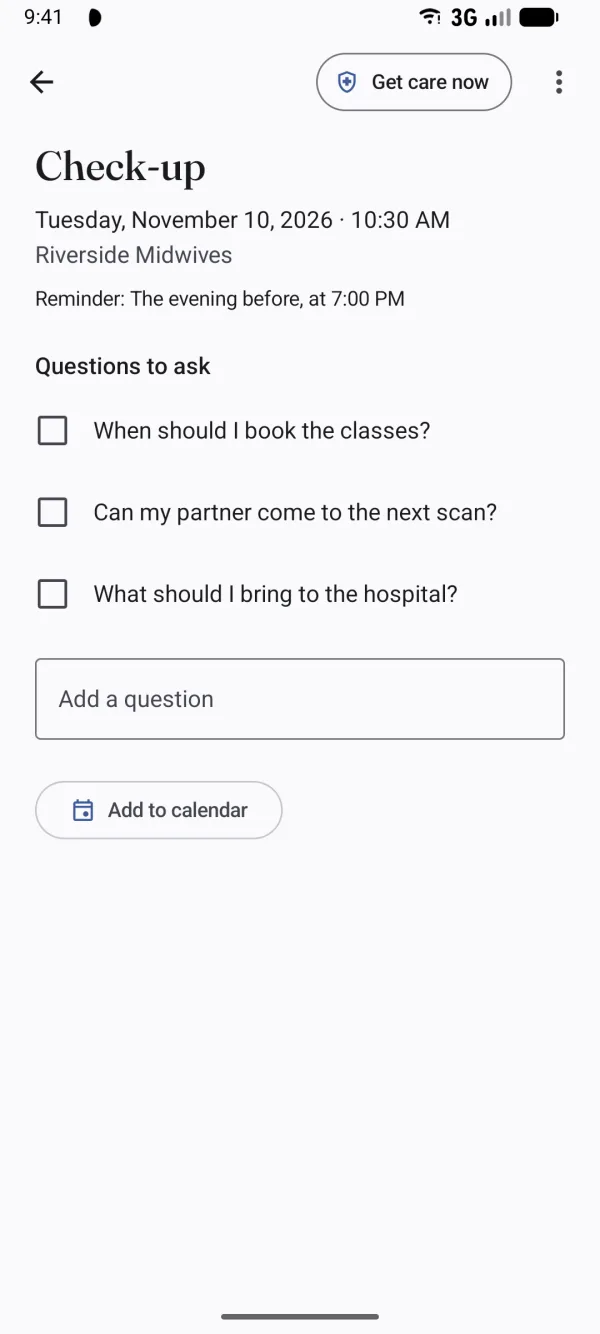
Questions ready for every appointment 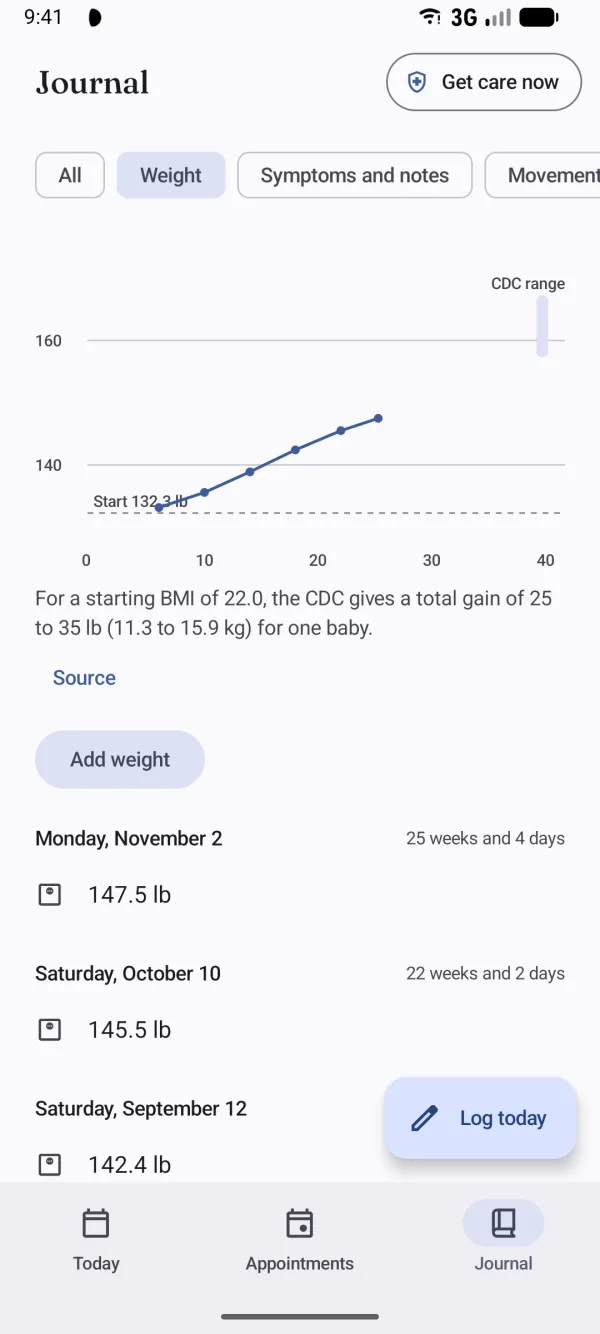
Weight, symptoms and notes by day 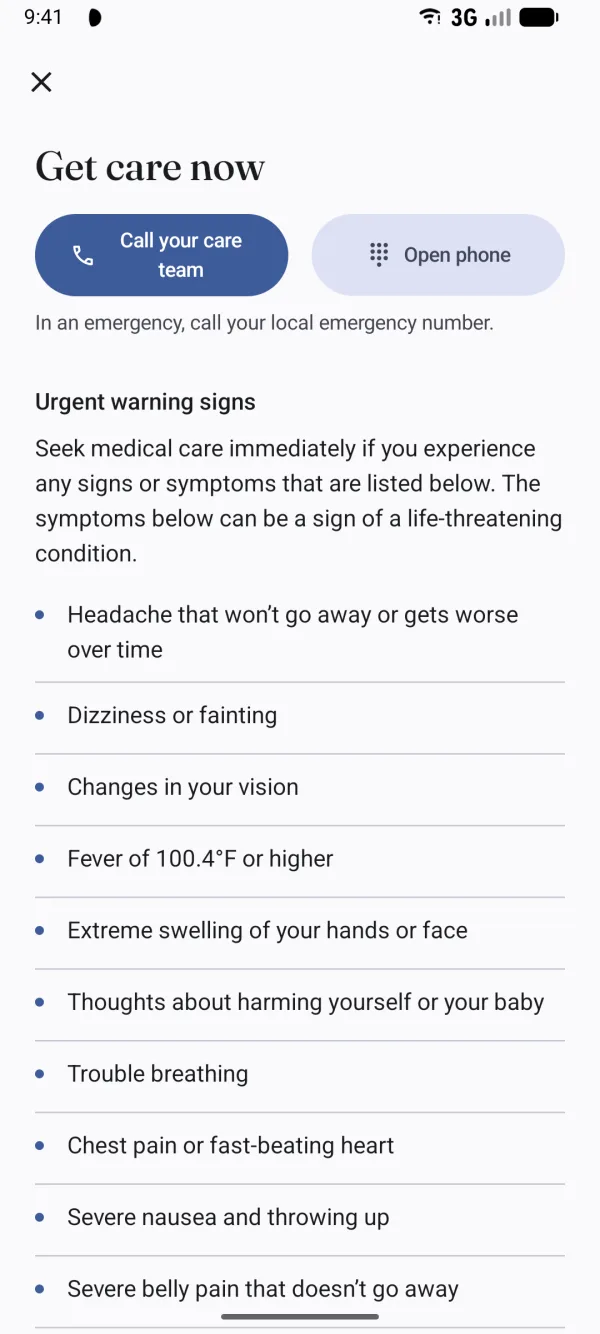
Get care now, one tap away 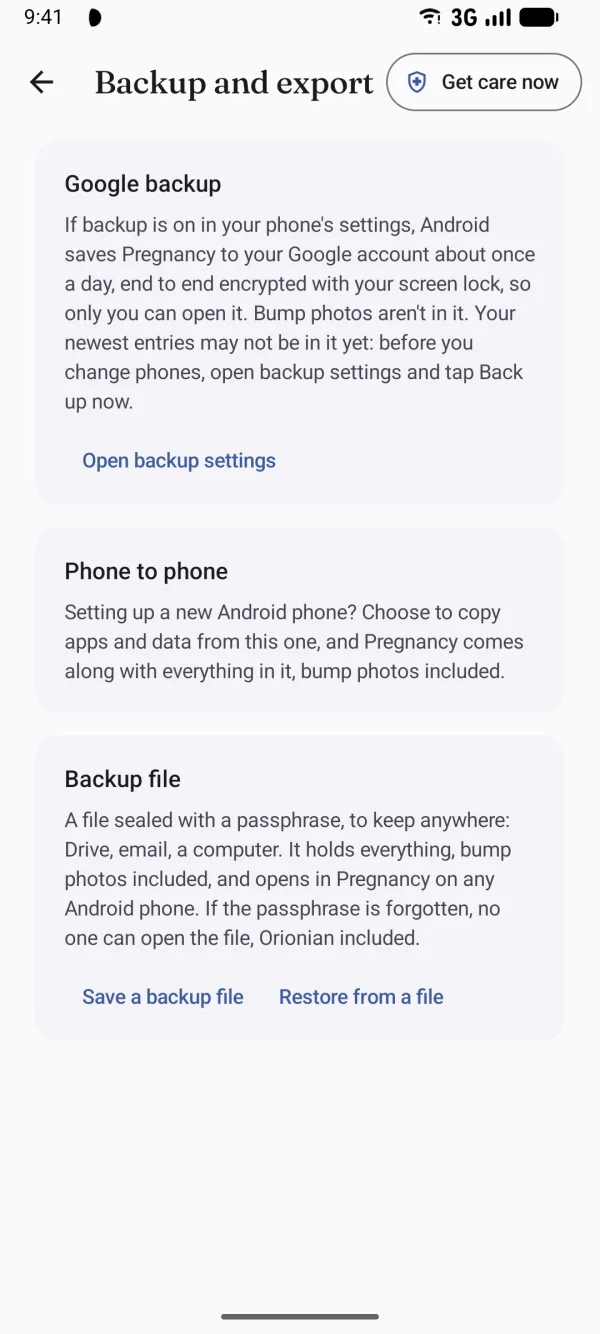
Never lose a day
- A short card every weekFrom 4 weeks to 42: your baby, with their size beside a small sketch; your body, and when to call your midwife or doctor; something for your partner; one tip. A notification the morning each week begins, which you can turn off. For information, not medical advice.
- A contraction timer for one hand at 3 a.m.One large button: Start when a contraction begins, Stop when it ends. Each tap is saved at once, so nothing is lost if the phone restarts. The last hour is shown as plain numbers: how many, how far apart, how long. Your care team's instructions sit beside them, exactly as you typed them.
- Never a verdictThe timer never tells you whether you're in labour or when to go; that's for you and your care team. Time from the notification or a Quick Settings tile, even on a locked phone, where it shows only “Timer”.
- Know your baby's movementsThe kick counter starts with the advice that matters most: get to know your baby's usual pattern, and call straight away if it changes. If you like to count, it times 10 movements and shows your own past sessions. Twins and triplets are counted baby by baby.
- AppointmentsWith the questions you want to ask, reminders you choose, and Add to calendar.
- Weight, notes and moreWeight with a chart and the CDC's total gain range for your starting BMI. Symptoms, moods and notes by day, blood pressure and glucose readings, bump photos by week, a hospital bag checklist and your birth preferences in your own words. A report for your care team as a PDF to share.
- Get care now, one tap awayEvery screen has a Get care now button: the CDC's urgent maternal warning signs, word for word, and the signs to call about in labour, with a button to call your care team.
- If your pregnancy endsA birth, a loss, or “I'd rather not say”, at any week, with no question why. In the same tap every countdown, weekly card, reminder and notification stops, and you keep or delete everything.
- Light and dark, for everyoneFollowing your phone, in 17 languages, with TalkBack and large text.
Pregnancy Pro
Everything above is free and stays free. Pro is one purchase, with no subscription. It adds a keepsake book: your pregnancy week by week with your bump photos, the size sketches and your notes, your milestones, and a page for after the birth, as a PDF to print or share. Pro also adds three widget styles and two app icons, a dark one and a plain one.

Get Pregnancy
Coming to Google Play
For Android 8 and later.
Pregnancy is not a medical device and does not diagnose, treat, cure, or prevent any medical condition. Due dates are estimates. Talk to your midwife or doctor about anything that worries you, and in an emergency call your local emergency number. Privacy policy