 Orionian
Sleep Sounds
Rain, a fan or brown noise that plays all night, and tells you in the morning if anything stopped it. No ads and no subscription.
Coming to Google Play
For Android 8 and laterAll night. And proof in the morning.
Open it in the morning and it tells you how long the sound really played, or exactly when it stopped and why.
A sleep sound has one job, and it's the one you can't check: you're asleep. Android can close an app in the night to save battery, and on some phones it does. Sleep Sounds runs the way Android expects music to run, so it's allowed to play until morning, and it keeps a record of the night so you know it did.
The morning report
- 7 h 42 min, no gaps Brown noise. The timer faded it out at 06:46.
- Stopped at 03:12 Android closed Sleep Sounds while it played. Setting its battery use to Unrestricted keeps it playing all night on this phone.
- Headphones disconnected at 01:40 Sleep Sounds pauses when headphones disconnect, so it never moves to the speaker by surprise.
What the report can say, in its own words. When something can be fixed on your phone, the report takes you to the setting. It's gone by noon.
Nothing gets louder on its own
Every start fades in over two seconds. A sound you add to a mix joins quietly, and the timer fades the night out on the clock, over the last 20 minutes. Your phone's own volume is never touched, so your alarm stays as loud as you set it.
What you get
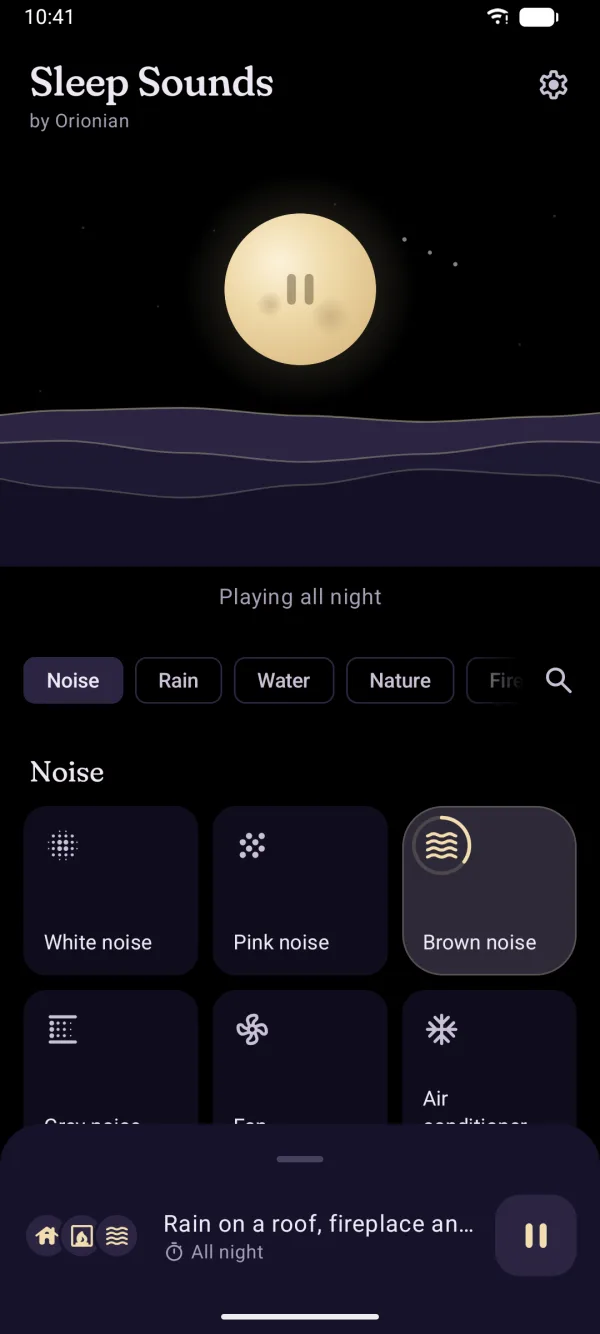
Tap a sound. Sleep. 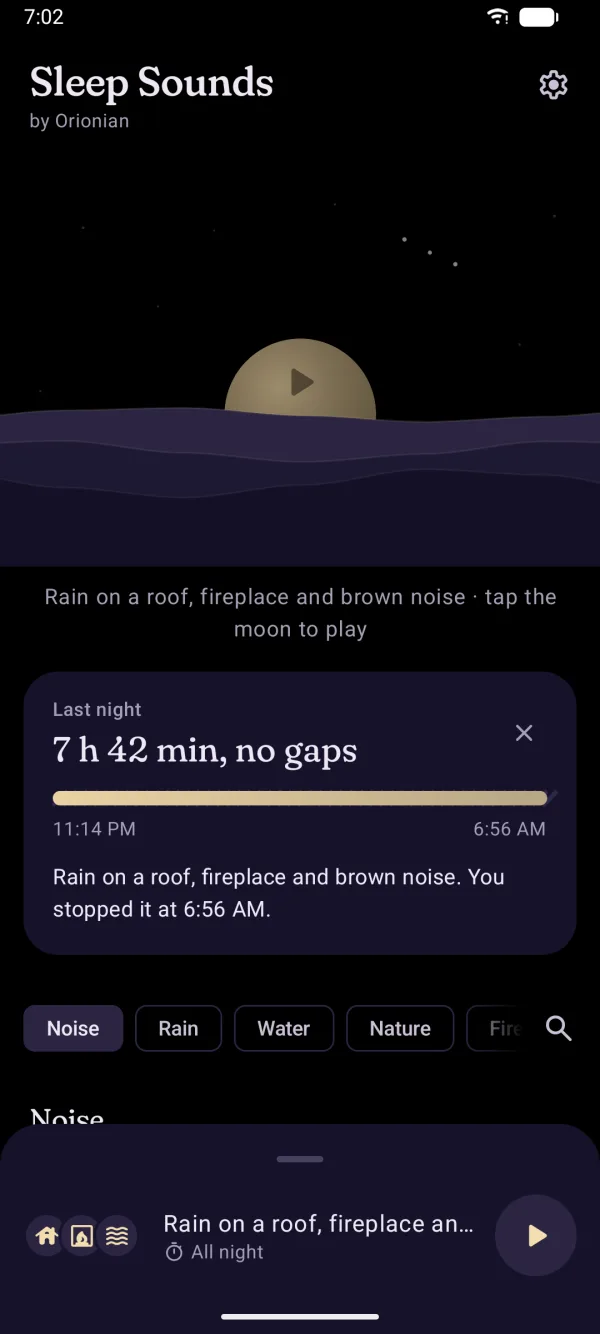
Plays all night, and shows it 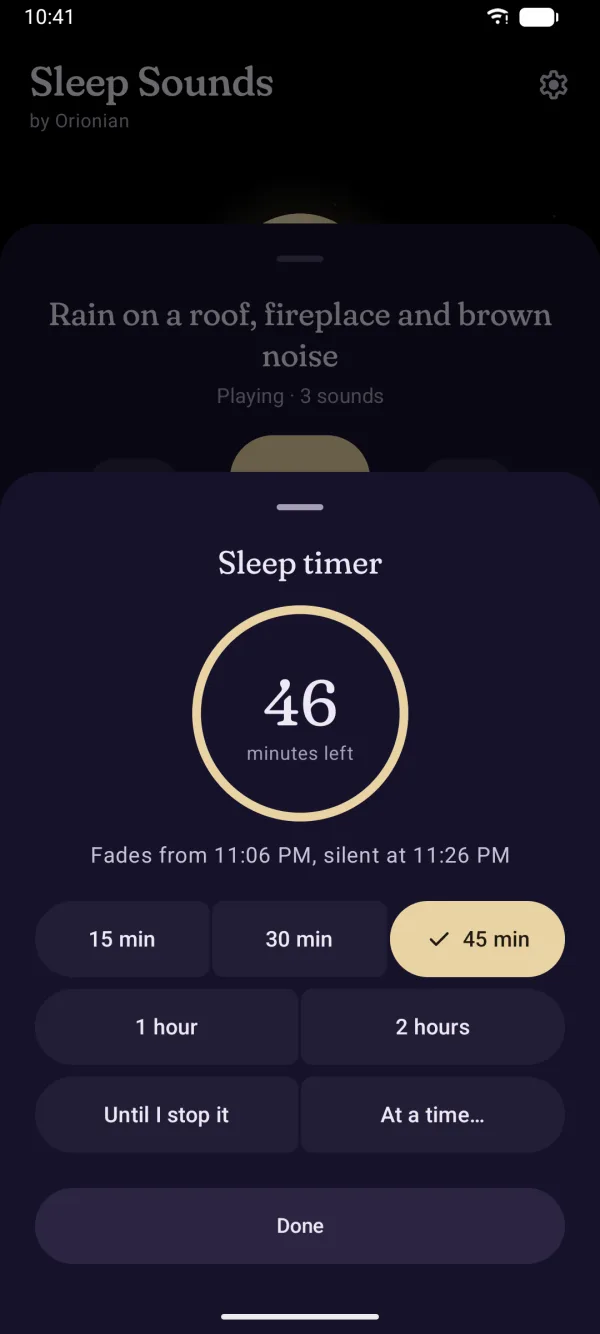
A timer that tells you when 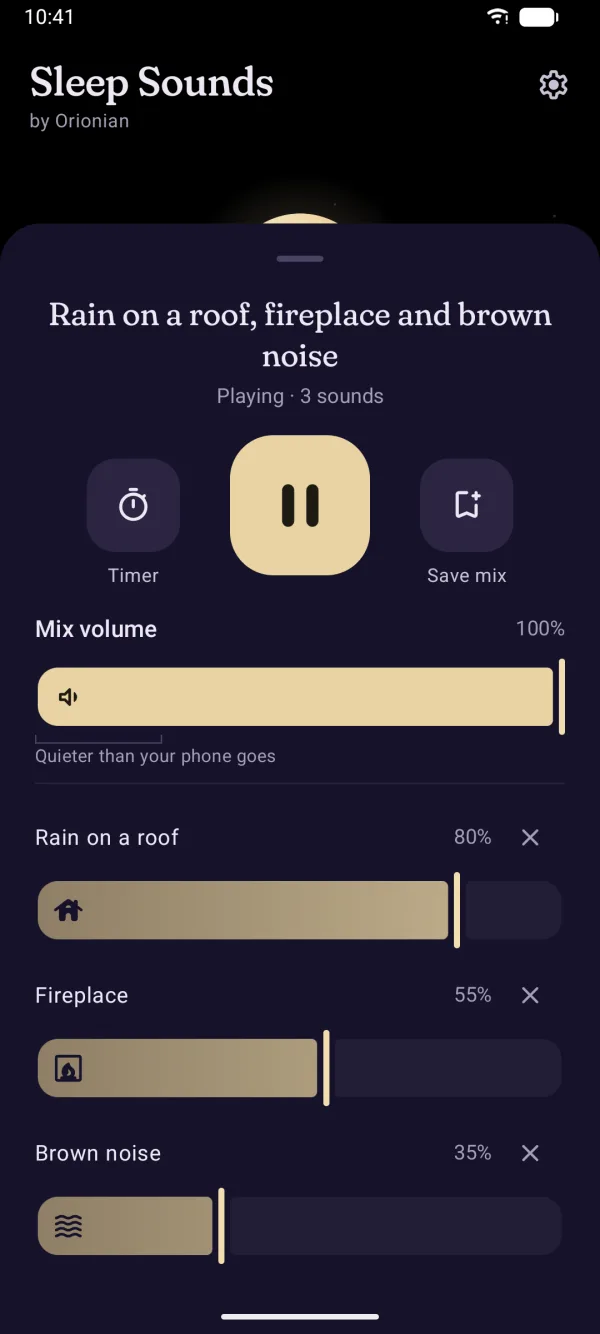
Mix it your way
- Tap a sound and it playsMix up to three, each with its own level, and save the mixes you like. 55 sounds are free, and play for as long as you sleep.
- Made for a dark roomA true-black screen that dims itself after 30 seconds, with large buttons where your thumb rests. Stop is the biggest one.
- Quieter than your phone goesMix volume reaches below your phone's quietest step, for a sound you can barely hear.
- A timer on the clock15 minutes to 2 hours, a clock time, or all night. It tells you when the sound will be silent, and fades out over the last 20 minutes.
- Noise made liveWhite, pink, brown and grey noise, the fan and the air conditioner are made on your phone as they play, so they never repeat.
- Pauses for calls and alarmsAnd comes back on its own after. If your headphones disconnect, it pauses instead of moving to the speaker.
- From the lock screen, a tile or a widgetMedia controls with Stop, a Quick Settings tile and a home-screen widget: tap the moon to play your last mix.
- Every sound is on your phoneOnce installed it plays offline: on a plane, in a cabin, with no signal.
Sleep Sounds Pro
Everything above stays free. Pro is one purchase in the app, with no subscription and no ads, ever. It's only offered while you're choosing a sound, never during the night.
- 72 more soundsIncluding the airplane cabin and binaural tones, and every sound pack added later. Each one plays a 30-second preview first.
- Mixes of any sizeAs many sounds in a mix as you like, as many saved mixes, and a widget with your saved mixes as buttons.
- Your noiseDraw the noise you want, from a low rumble to a soft hiss, and hear it change as you draw.
- A bedtime reminderA quiet notification at bedtime: one tap plays your mix, faded out by the time you wake.
Six permissions, each with one job
- Run in the foreground
FOREGROUND_SERVICE - Keeps the sound playing with the screen off, with its media controls.
- Run in the foreground: media playback
FOREGROUND_SERVICE_MEDIA_PLAYBACK - The kind of foreground service Android 14 and later asks the app to name.
- Google Play billing
com.android.vending.BILLING - Buys Sleep Sounds Pro through the Play Store app on your phone.
- Run in the foreground: data sync
FOREGROUND_SERVICE_DATA_SYNC - Google Play's own notification while it downloads the Pro sounds after install.
- Notifications
POST_NOTIFICATIONS - The bedtime reminder (Pro). Asked for only when you turn it on; media controls don't need it.
- Run at startup
RECEIVE_BOOT_COMPLETED - Sets the bedtime reminder again after a restart.
That's the whole list, each permission for something the app does. Sleep Sounds collects nothing, and the privacy policy says so in full.

Get Sleep Sounds
Coming to Google Play
For Android 8 and later.
Sleep Sounds is not a medical device. If you have trouble sleeping, talk to a doctor.